1 Registration
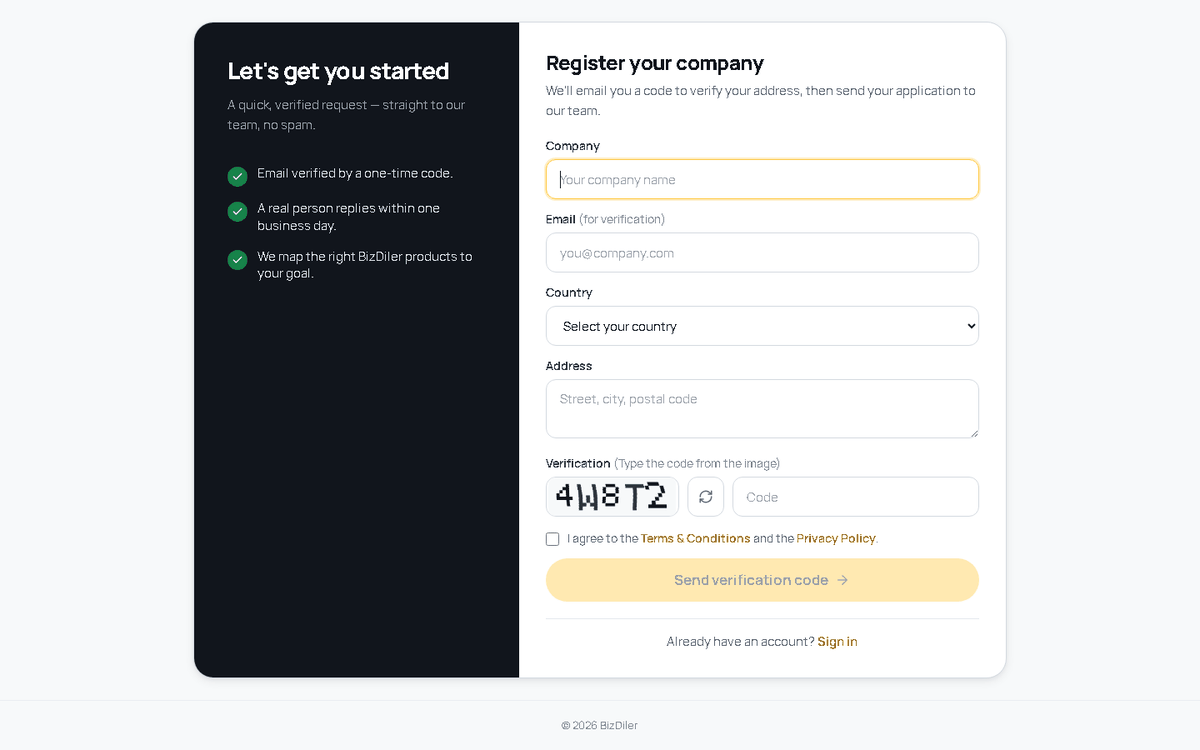
Open Get Started and fill in your company details.
- Company name, Identification Number, email and country. The address, phone and the rest of the profile are filled in later, in Settings.
- The code from the image and the consent checkbox — without them the button stays disabled.
- The one-time code from your inbox — it confirms the address and sends the application to review.
2 Review
The BizDiler team reviews every application (KYB). You will hear back by email:
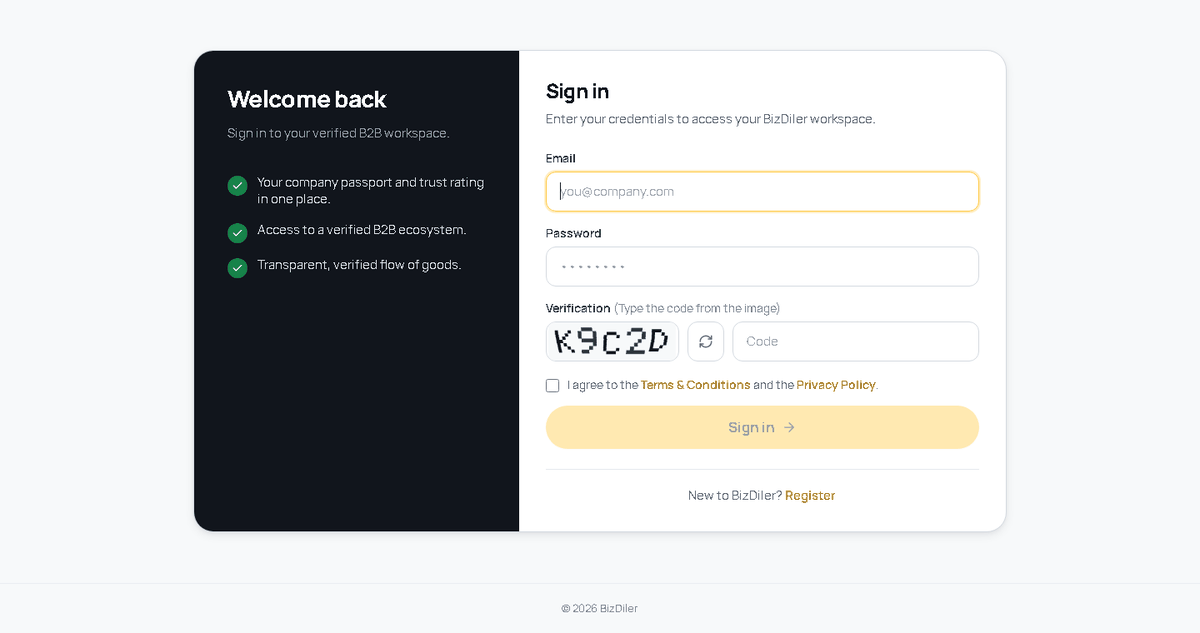
- Approved — the email contains your sign-in credentials: License ID (COM-000123) and password.
- Rejected — the email states the reason. You are welcome to apply again once it is addressed.
3 Signing in
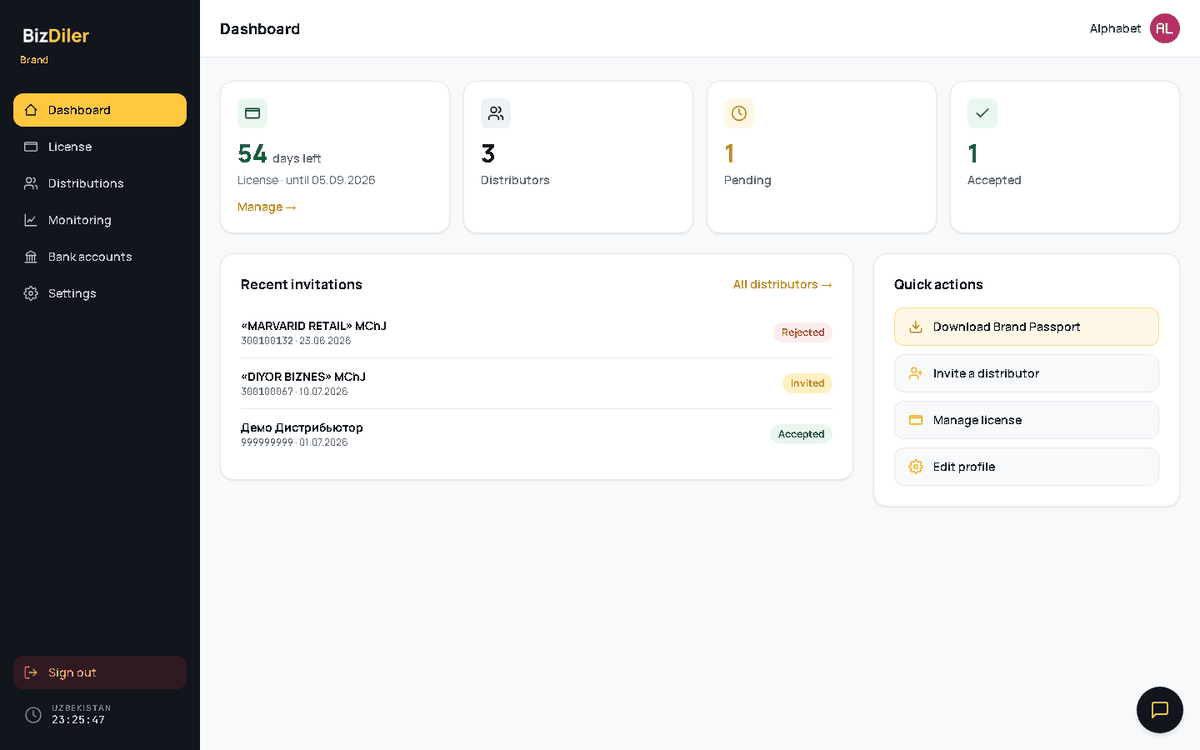
Cabinet menu: Dashboard · Bank (Accounts · Cards) · Distributions · License · Monitoring · Settings · Profile.
4 Dashboard
5 License & Brand Passport
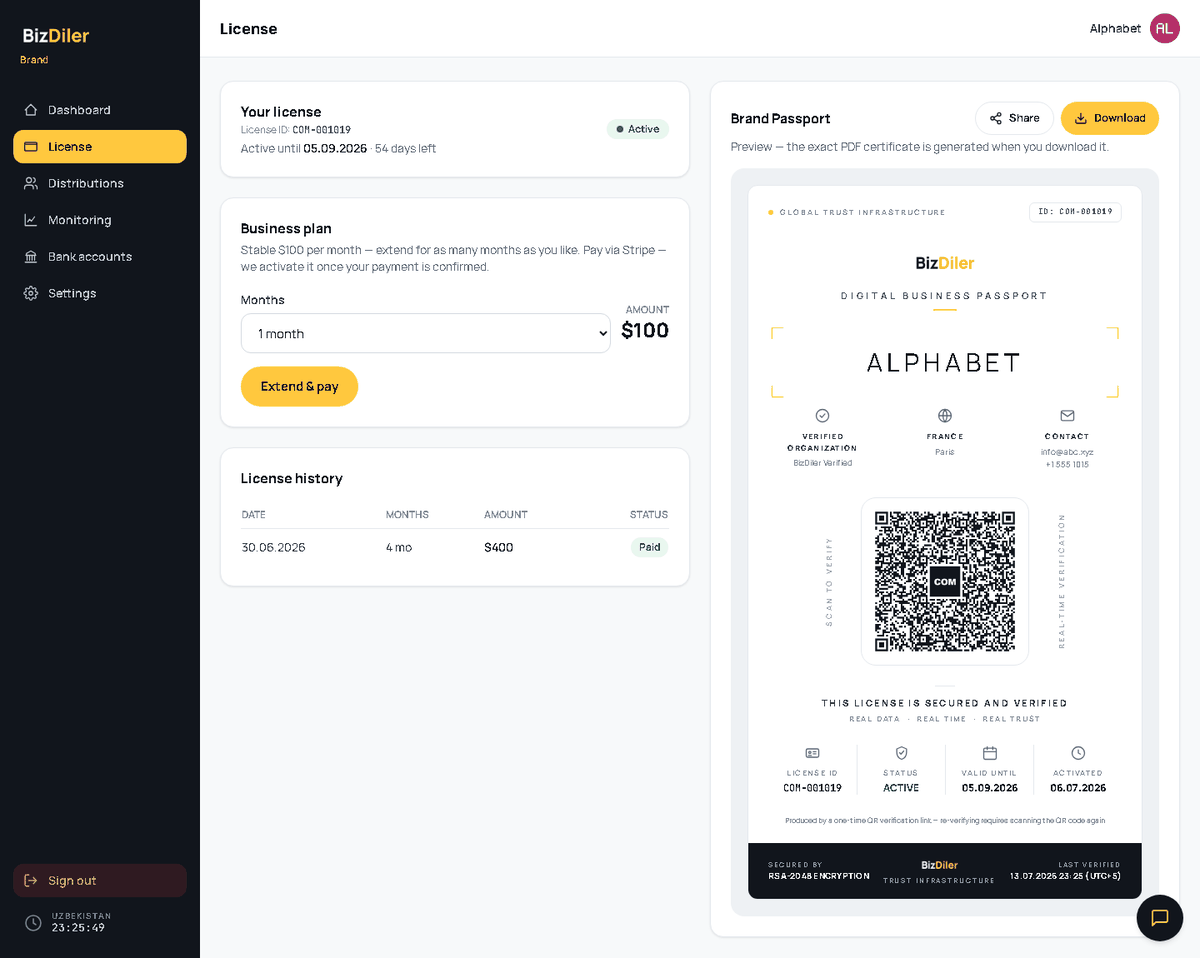
A license is what makes your Brand Passport verifiable and lets you invite distributors.
Free trial
30 days, free, once per company. A trial passport is fully valid and passes the public checker exactly like a paid one — the only difference is the diagonal TRIAL watermark on the certificate. A trial also limits you to one distributor invitation at a time.
Business plan
- Choosing a plan creates a pending deposit.
- Payment is made by bank card through Stripe and is reconciled by our team (usually within one business day).
- Once confirmed, the license activates and the term is added on top of your current end date — renewing early never wastes days.
A pending request can be cancelled by you, with a reason, until it is confirmed. The full history — paid, pending and rejected, with rejection reasons — sits on the same page.
Download and share
- Download saves the passport as a PDF.
- Share issues a permanent link to the passport (PDF): it opens anytime, any number of times — a link you send today keeps working tomorrow. It is a signed, non-guessable link, so only the people you send it to can view the passport.
- The QR code carries a signed link — scanning the passport QR opens the public profile, and the profile QR opens the passport. An expired license or a tampered link returns 404.
6 Public verification
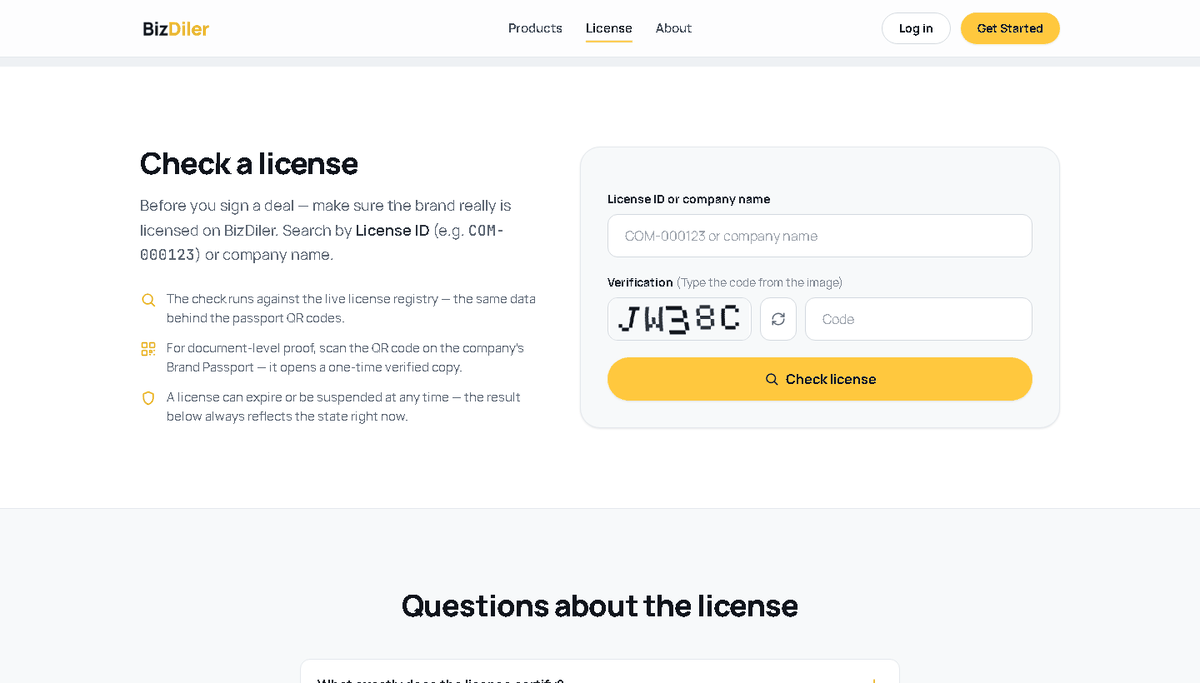
Anyone can check a license in the Verify block on the Brand Passport page — by License ID (COM-000001). The QR on the certificate leads to the same check.
Separately, the Registry block on the landing page finds a brand by Identification Number or company name and opens its public profile — a permanent link you can share with a partner.
7 Profile
Your public company card — what a distributor sees when they open you from the registry. It is the same card everywhere: on the public page and inside your cabinet, so “how I see myself” and “how others see me” can never drift apart.
- The link is permanent. Sent today, it still opens tomorrow, any number of times — as long as the license is valid.
- The badge under the name is conditional. A green “Verified” appears only once the company profile is complete; until then it reads “Under review”. These are the same fields that unlock the free trial.
8 Distributions
Available while your license is active. This is where you build your distributor network in Uzbekistan.
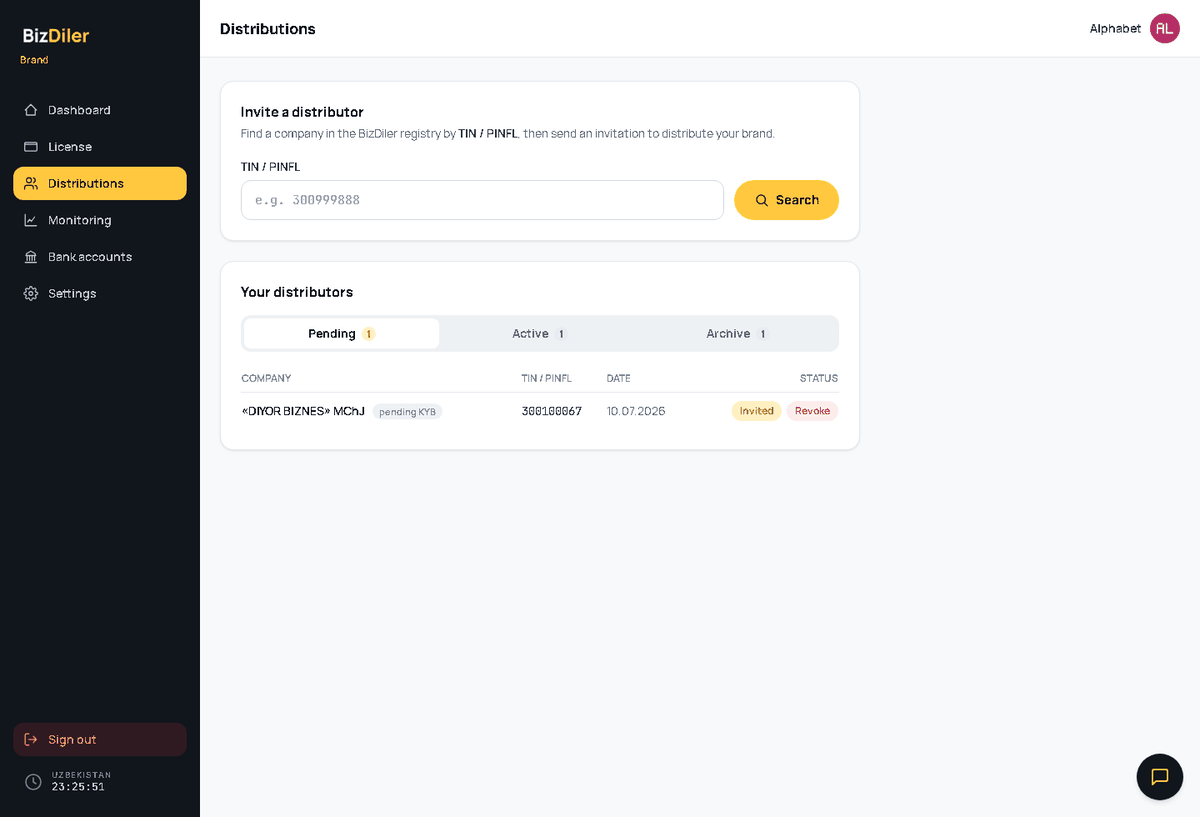
- Only licensed distributors are searchable — an unlicensed company cannot be invited.
- Once an invitation is accepted, a chat with the distributor opens.
- Revoke ends the relationship — it works on both pending and accepted invitations and requires a reason. An accepted link is broken by whoever started it: your invitation — your Revoke; their request — theirs. Revoking frees the trial slot and closes Monitoring and chat for that pair.
9 Monitoring
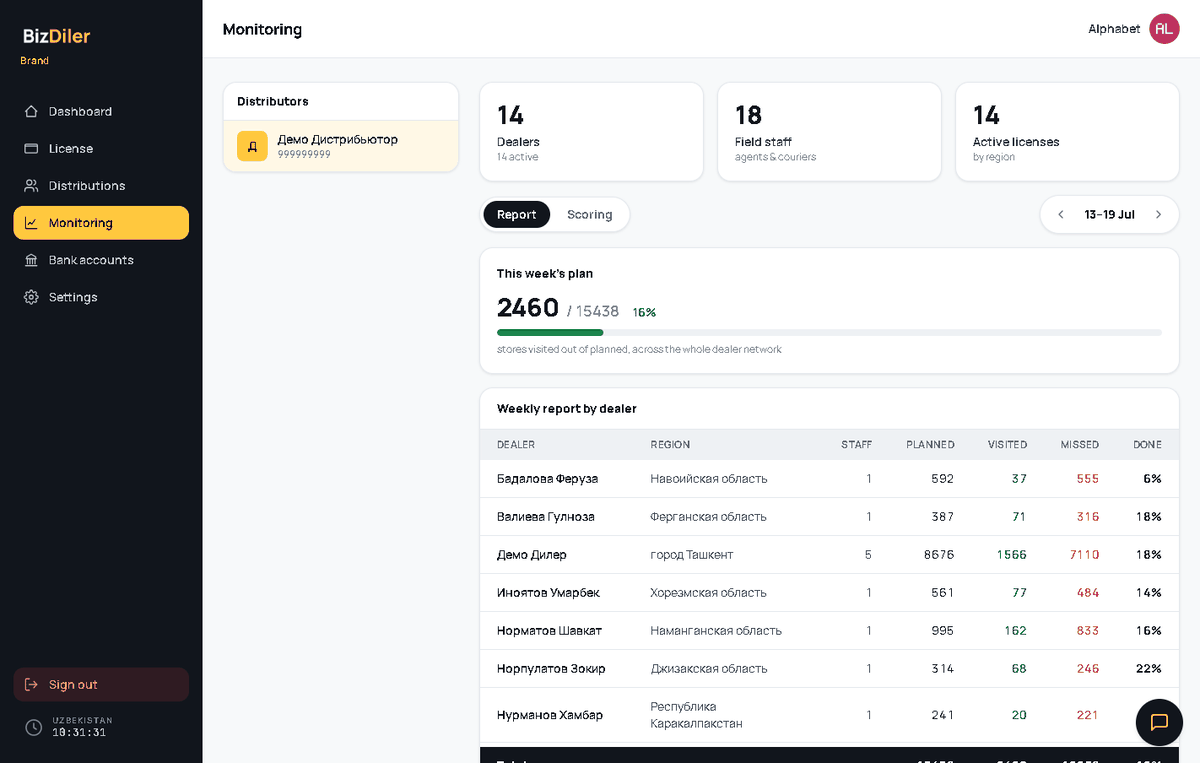
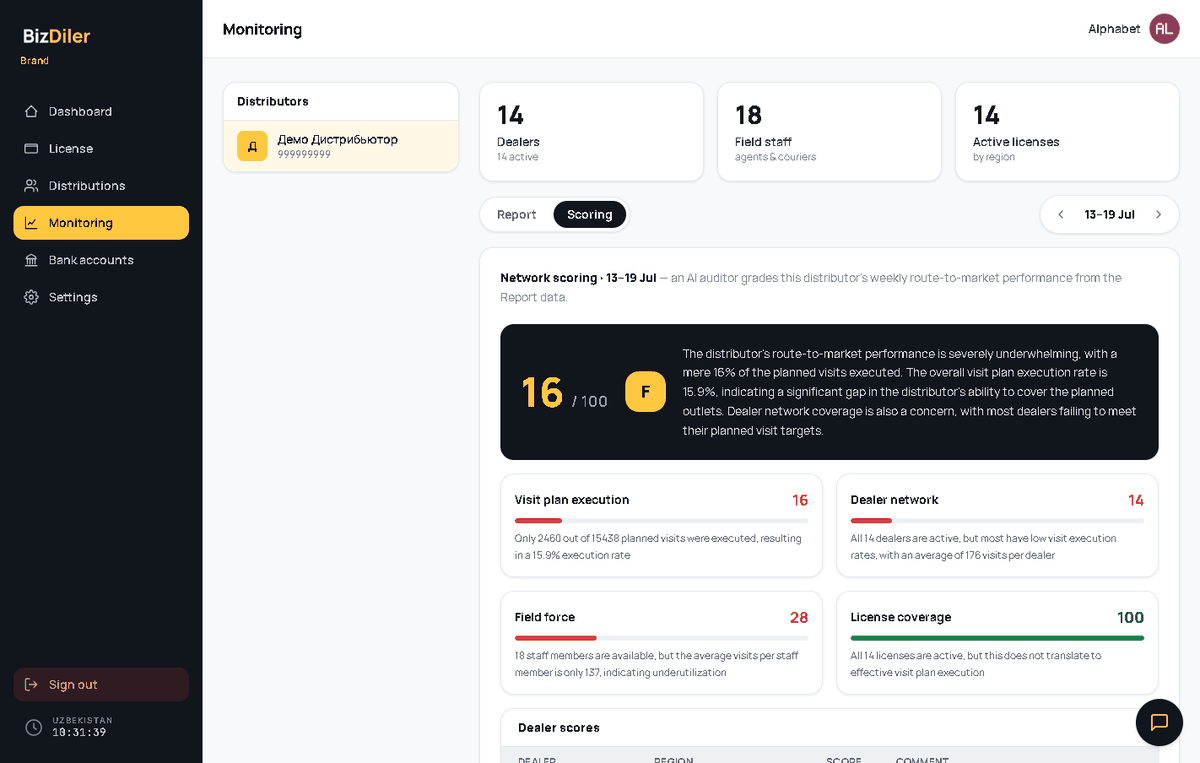
See the sales network of any distributor who accepted your invitation. Pick a distributor on the left; the KPI cards on top — Dealers, Field staff, Active licenses — summarise the network, and the week arrows move you through previous weeks. Two tabs sit below: Report and Scoring.
10 Bank
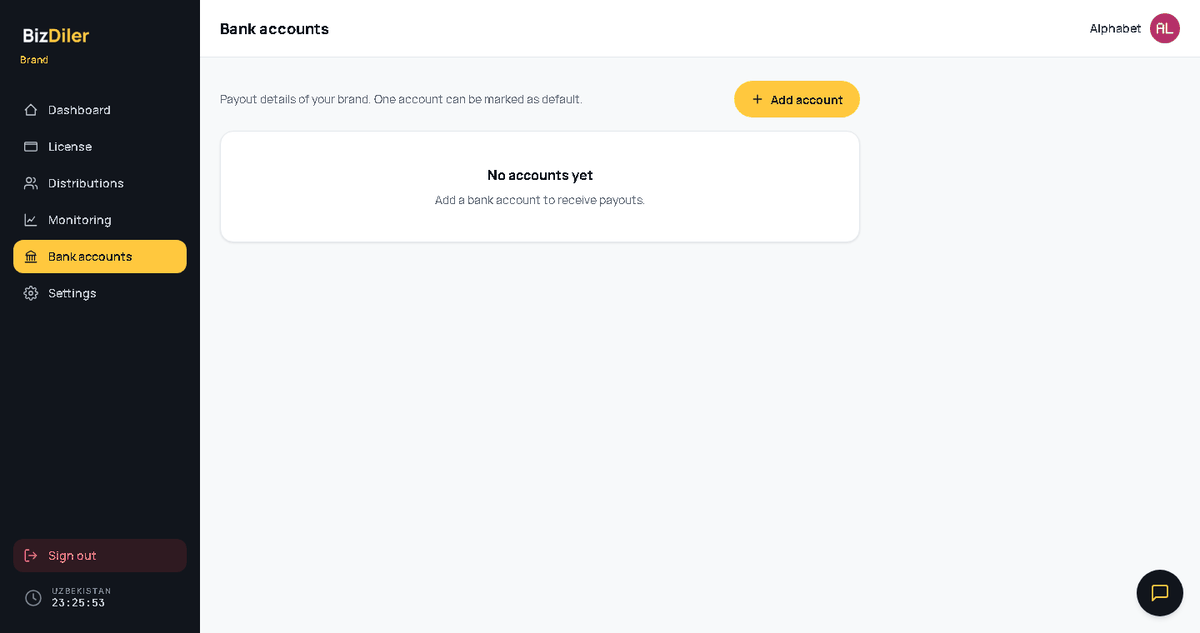
Two pages under one menu item — Accounts and Cards. Both work the same way: a list of rows, an add button in the header, and a “default” switch on every row.
Cards
Company payment cards — UnionPay, Visa, Mastercard.
11 Settings
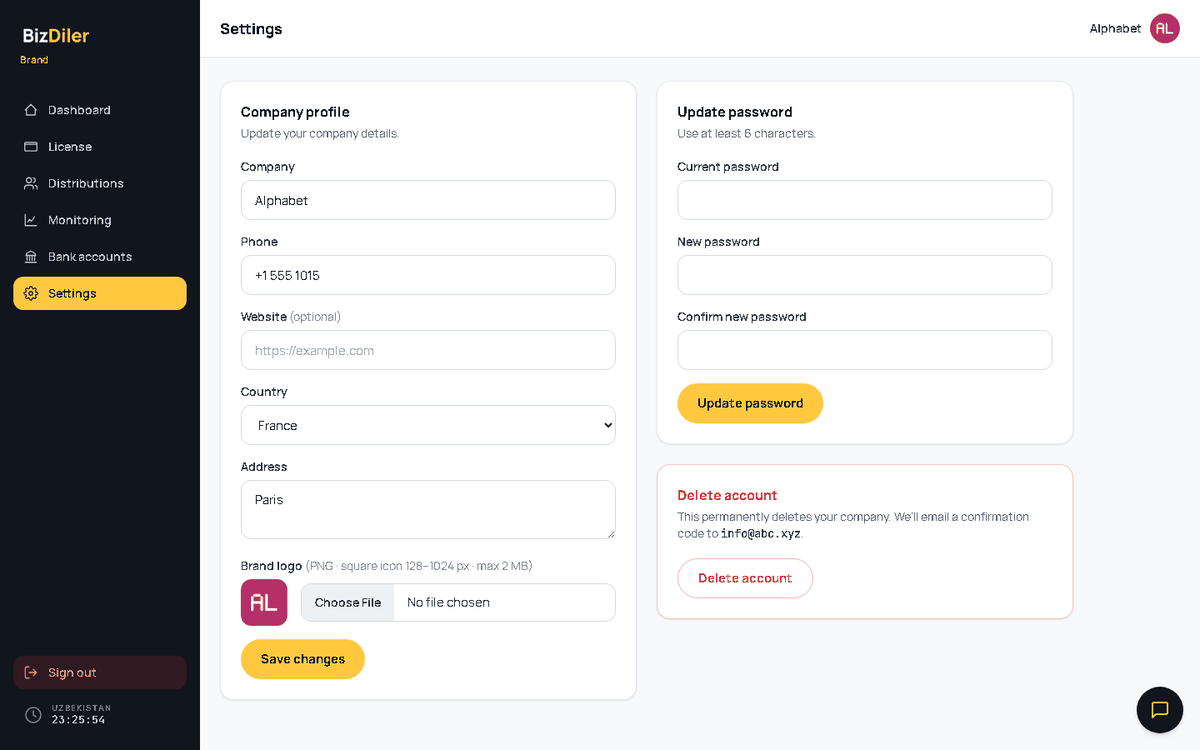
- Company profile — description, country, address, phone and website (the website shows up in the passport contacts). Country, address and phone are required for the free trial: while any of them is empty, the trial stays locked.
- Read-only: company name, Registration Number and email. The registry owns them — write to the support chat and the BizDiler team will change them.
- Logo — PNG only, square, between 128 and 1024 px. It goes in the centre of your passport QR code, which is why the format is strict; without a logo we use the BizDiler monogram.
- No password change or account deletion here — both are handled by the BizDiler team on request.
12 Support
Every page of the cabinet has a floating chat button in the bottom-right corner — a direct line to the BizDiler team. License events (activation, expiry) also land in that chat, so the history stays in one place.
13 FAQ
The confirmation code never arrived
Check your spam folder. Codes expire — request a new one if too much time has passed, and make sure the address has no typos.
I cannot invite a distributor
Three things to check: your license must be active; the distributor must hold a valid license of their own (unlicensed companies are not searchable); and on a free trial you may hold only one invitation at a time — revoke the existing one or upgrade to the Business plan.
My brand is not found in the public checker
The checker confirms any live license — trial and paid alike. Only a missing or expired license reads as “No valid license”.
Does a passport link I shared still open later?
Yes: the Share link is permanent — it opens anytime and any number of times (as long as the license is active). A link you send today keeps working tomorrow.
Monitoring shows no data
Monitoring only covers distributors who accepted your invitation, and it reflects their field activity in SalesMap. If the distributor has no dealers, or no plan for the selected week, the week will be empty — try the week arrows.